Creating an Alert
Get told when a stock hits a price, moves a lot, or reports earnings.
3 min readIncludes a walkthroughWatchlist, Alerts and Portfolio
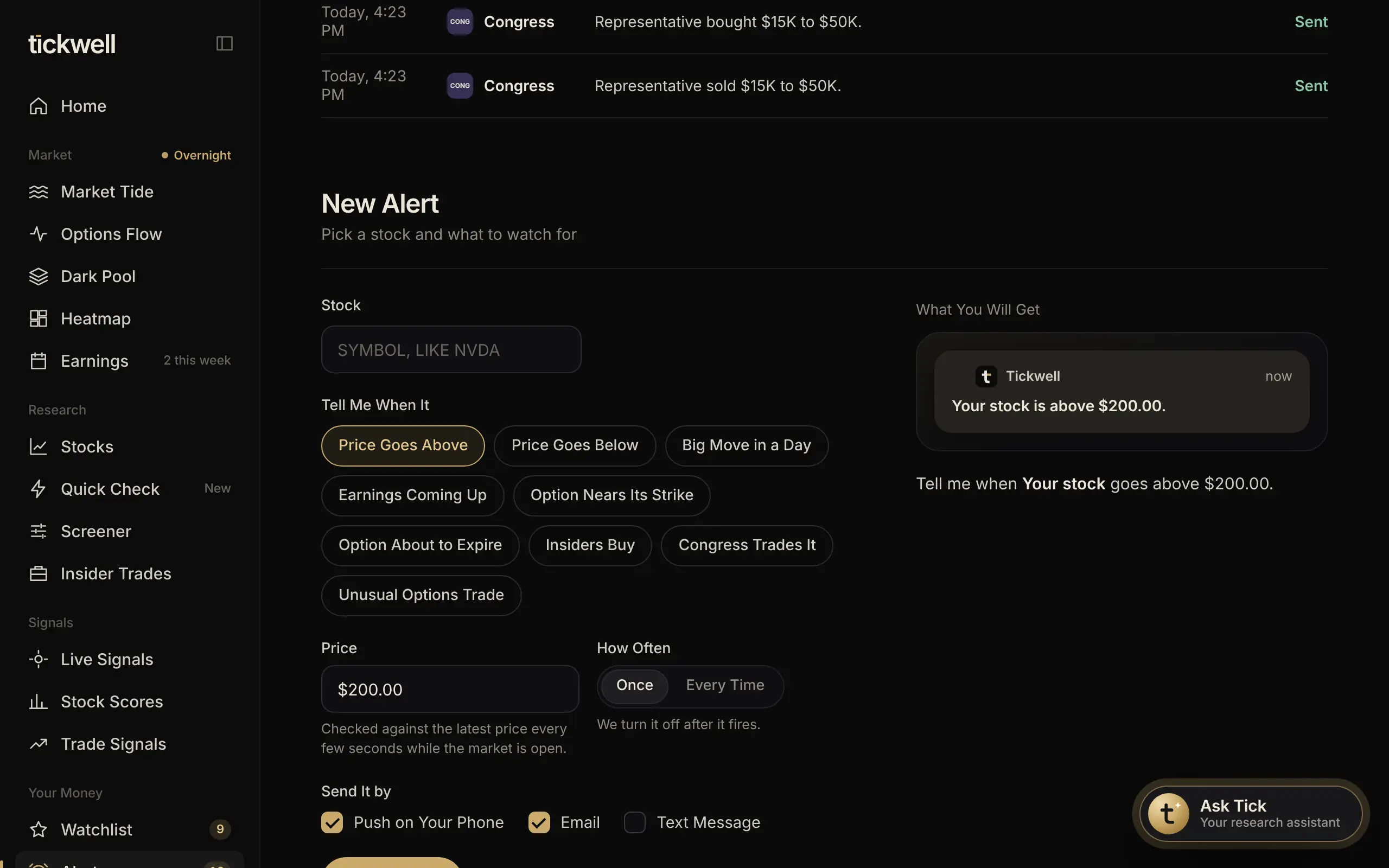
Alerts watch the market for you and tell you by notification, email or text, whichever you choose in Settings.
- Open Alerts, or select Set an Alert on a stock page.
- Type the symbol.
- Pick the kind: Price Goes Above, Price Goes Below, Big Move in a Day, Earnings Coming Up or Option Nears Its Strike.
- Enter the level, and select Create Alert.
Active alerts are listed with a switch to pause them, and History shows every alert that fired. Your alert levels also appear on the stock's chart under My Levels.
Tip. Alerts check prices throughout the session, including pre-market and after hours.
Was this helpful?